GRIBAE
A freeware Windows software to read, analyse and extract GRIB (GRIdded Binary) data.GribAE is a free software to read, analyze and extract GRIB (GRIdded Binary) data. It is a graphical user interface to the WGRIB application.
GRIB is a data format commonly used in meteorology to store historical and forecast weather data. It is standardized by the World Meteorological Organization Commission for Basic Systems.
GribAE can be used with GRIB-1 format, which is used operationally worldwide by most meteorological centers, for Numerical Weather Prediction output (NWP). The new GRIB-2 format will be introduced in future versions of GribAE.
GribAE allows to read and analyze the NOAA GFS (Global Forecast System) data.
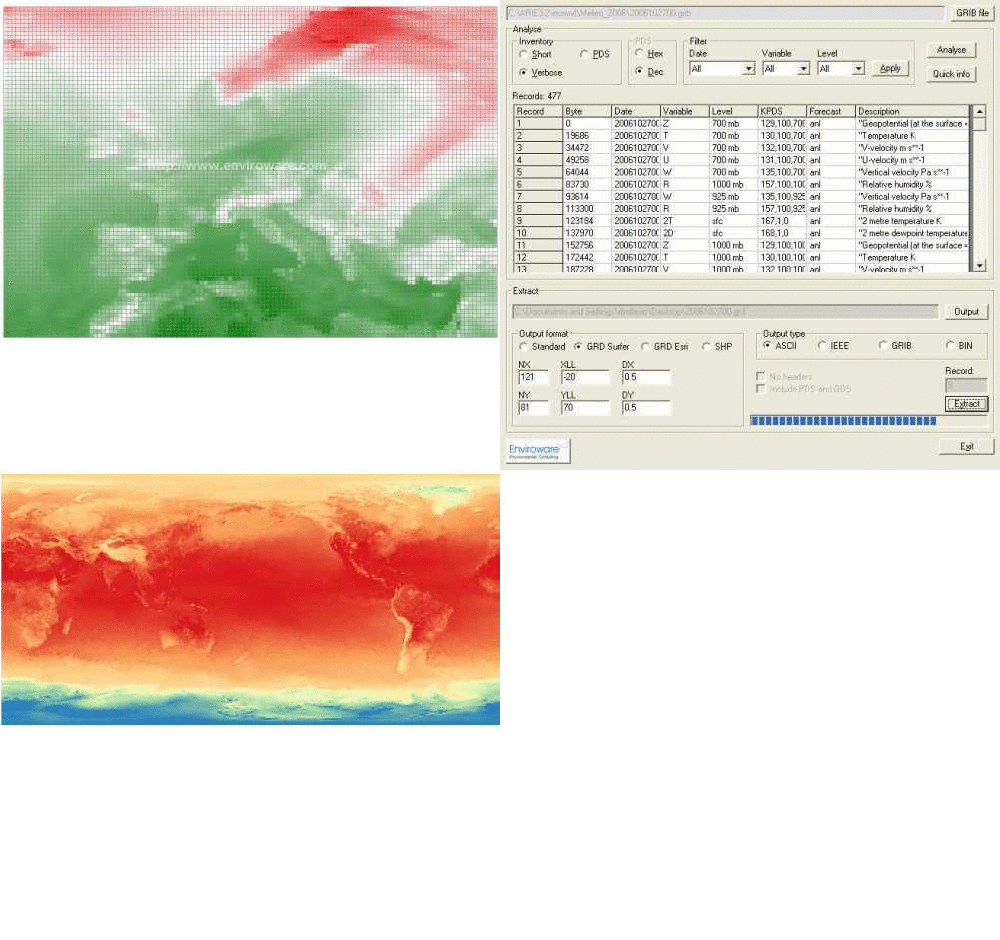
Some features:
- Read and analyse GRIB-1 data format
- Extract quick information for any specific record
- Creates data inventory in short, PDS and verbose mode
- Allow filtering according to date, variable and level
- Extract all the data for any specific record
- Save extracted data as astandard ASCII/BIN/GRIB/IEE formats
- Export data in Golden Software ASCII Surfer GRD format
- Export data in ESRI ASCII GRID format
- Export data in ESRI binary shapefile format (SHP)
- Exported files can be visualized in GIS systems (e.g. QGIS)
If you install GribAE under Windows 7 or Windows 8 do not accept the default installation folder (e.g. C:\Program Files (x86)\GribAE) otherwise it will not work. Instead install the software in a folder where it is possible to read and write the needed temporary files, for example: C:\GribAE
Once installed on your PC, choose Help, then Register, and click the Get the key button in order to get the registration key.